This article covers the technical implementation of DetectOutliers for developers. For information about the algorithms, see the methods section


All Scientific Microservices endpoints use an API key in combination with an email address for authentication. See Getting Started for more information including error handling and rate limits.


Use Cases
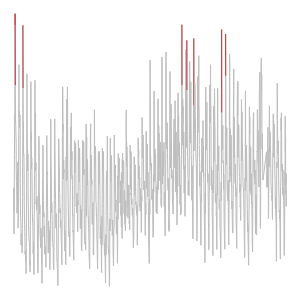
Find expensive ad keywords
A graph of cost per click over time with outliers highlighted in red

Improve your campaign's impact by identifying low performing keywords

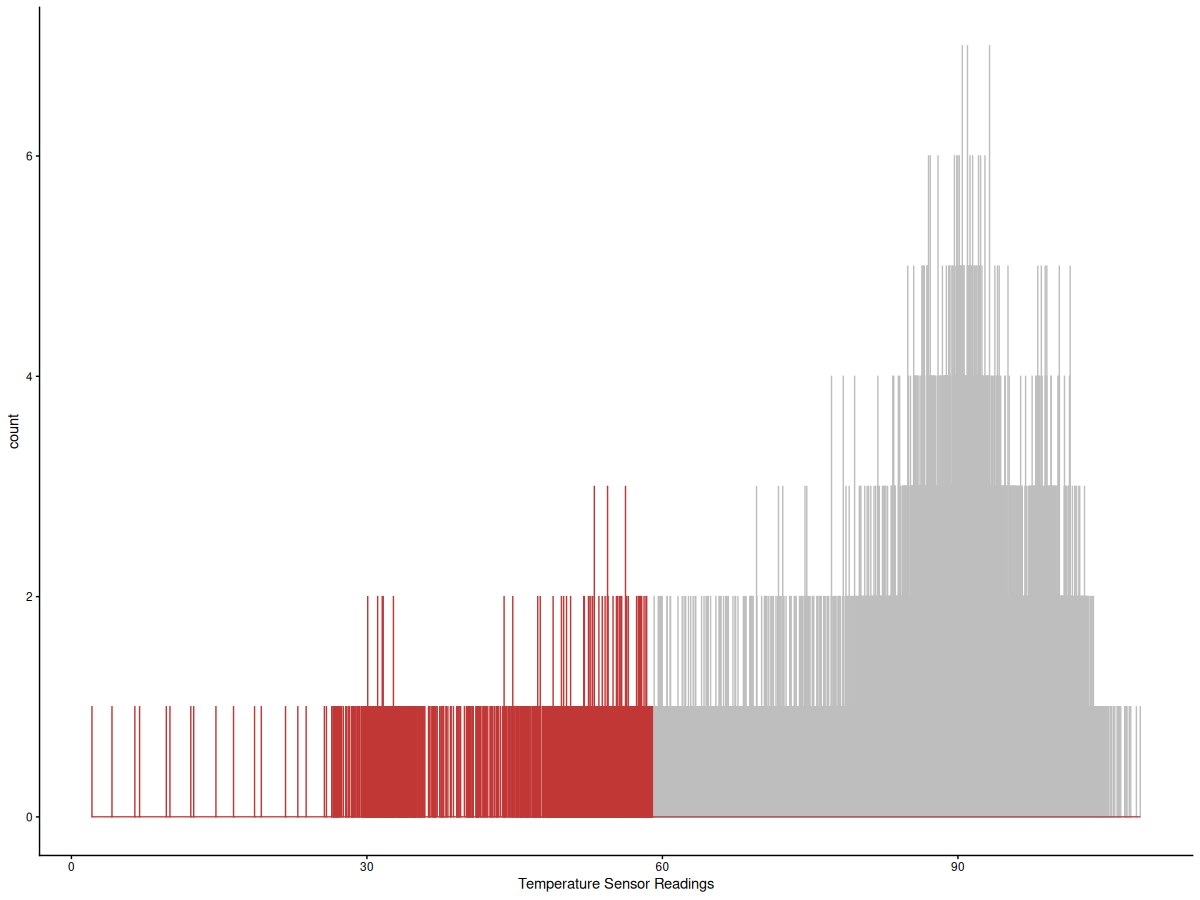
Monitor industrial machinery
A histogram of machine temperatures with the dangerous ones highlighted in red.

Monitor plant safety by identifying problematic temperature readings

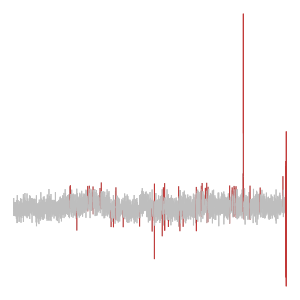
Detect unusual server traffic
A graph showing server traffic, with the unusually frequent hits highlighted.

Identify potential online threats by automatically detecting unusual traffic patterns


Overview

DetectOutliers provides a simple, scalable interface to detect extreme or unusual values in an array or list. It's designed for back end developers and data scientists to quickly detect issues with unexpected values in data before ingestion into a database or machine learning training set.

The power of the endpoint is its combination of three statistical algorithms that dynamically determine what is ‘unusual’ for the submitted data. For more information on the algorithms, read our methods section.

The DetectOutliers API processes JSON data submitted in a POST request body. Upon receiving the data, the service analyzes the data to determine whether values in the array are extreme or unusual in the context or the other values in the array. Some causes of outlier data include:

Endpoint URL


https://api.scientificmicroservices.com/detectoutliers

Request Format

The request must be an HTTP POST request with a JSON body. The JSON data should be structured as a list of values.

Arrays submitted to the API can be either numeric or strings.

Example request


  curl --request POST \
  --url 'https://api.scientificmicroservices.com/detectoutliers' \
  --header 'Content-Type: application/json' \
  --header 'email:YOUR_EMAIL' \
  --header 'key:YOUR_KEY' \
  --data '[10.1727,11.9026,7.9209,9.0841,9.8298,11.345,9.6483,8.9257,8.9788,958.9969,11.1933,12.1186,9.5798,10.0861,10.1675,10.2935,11.2547,10.4636,9.6607,9.7316]'
  
[{"position":9,"value":958.9969}]

Use the DetectOutliers endpoint at api.scientificmicroservices.com/detectoutliers to find unusual values in this list:

[10.1727,11.9026,7.9209,9.0841,9.8298,11.345,9.6483,8.9257,8.9788,958.9969,11.1933,12.1186,9.5798,10.0861,10.1675,10.2935,11.2547,10.4636,9.6607,9.7316]

My key is [YOUR KEY], and the email to use is [YOUR_EMAIL]


import json
import requests

headers = {
    'email': YOUR_EMAIL,
    'key': YOUR_KEY,
    'Content-Type': 'application/json'
}

url_outliers = "https://api.scientificmicroservices.com/detectoutliers"

sample_data_outliers = [
    10.1727, 11.9026, 7.9209, 9.0841, 9.8298, 11.345, 9.6483, 8.9257, 
    8.9788, 958.9969, 11.1933, 12.1186, 9.5798, 10.0861, 10.1675, 
    10.2935, 11.2547, 10.4636, 9.6607, 9.7316
]

response = requests.post(url_outliers, headers=headers, json=sample_data_outliers)

outliers = response.json()
print("--- Outliers ---")
print(outliers)


library(jsonlite)
library(httr)

url <- "https://api.scientificmicroservices.com/detectoutliers"

sample_data <- toJSON(c(10.1727,11.9026,7.9209,9.0841,9.8298,11.345,9.6483,8.9257,8.9788,958.9969,11.1933,12.1186,9.5798,10.0861,10.1675,10.2935,11.2547,10.4636,9.6607,9.7316))

response <- POST(
  url = url,
  add_headers(  'email'= YOUR_EMAIL,
                'key' = YOUR_KEY,
                'Content-Type' = 'application/json'
  ),
  body = sample_data,
  encode = "json"
)

outliers <- fromJSON(content(response, as = 'text'))
print(outliers)

Response Format

The endpoint responds with a list containing a variable number of objects, each with two key-value pairs.

Example response


  > [{"position":9,"value":958.9969}]
position The zero-based position in the list of the outlier
value The value of the list item indicated in the position field

Notes for Data Scientists

  • Data type detection is automatic. Verify that the inferred data types match your expectations, especially if dealing with mixed data types in a column.
  • Remember that outliers can go both ways - i.e. the algorithms will detect both very large and very small values.

Notes for Developers

  • Ensure your server can handle POST requests with JSON bodies.
  • Implement proper error logging and monitoring to catch and resolve any server-side issues.
  • Consider adding authentication and rate limiting to secure and manage the API.
  • For optimal performance, especially with larger datasets, consider asynchronous processing and caching the results.